Making Molecules: Dot Structures and Ionic Compounds
This simulation provides practice in building Lewis Dot Structures from atoms and ionic compounds from the component ions.
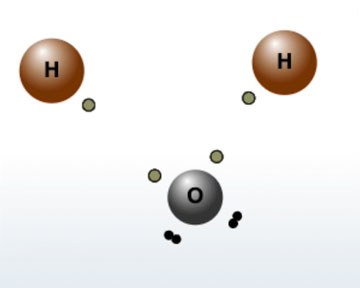
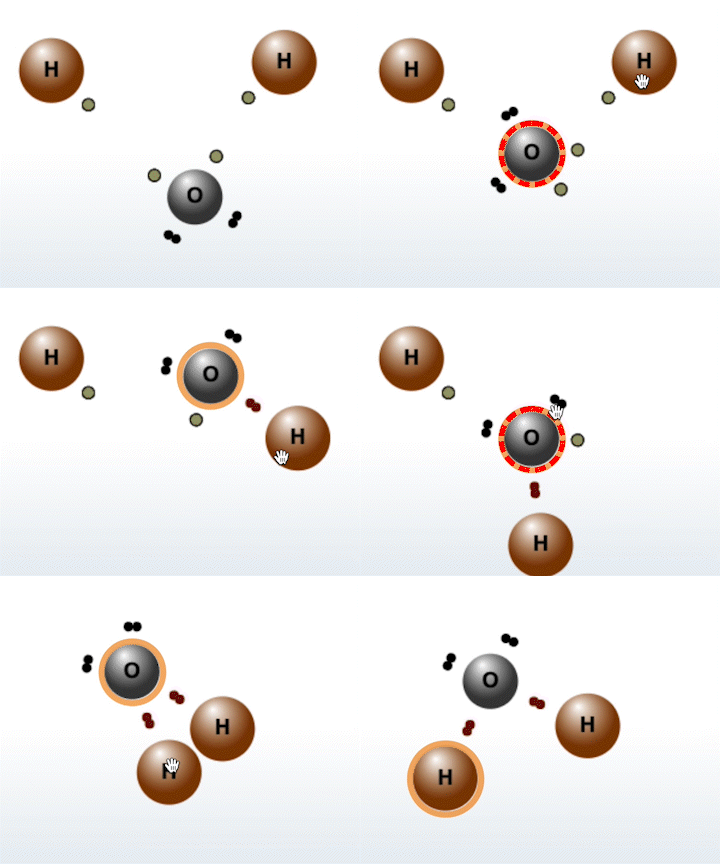
The Molecule Builder tab contains three different modes:
- In Molecule Builder Mode, you build specific compounds that can be found in nature. After choosing a compound from the menu, you will be given the atoms of that molecule. Your task is to correctly arrange the atoms to form the selected compound.
- In Free Experiment Mode, you choose which atoms you want to bond to create molecules. To choose atoms, click on the atoms in the periodic table. The molecules you can create may not reflect real world molecules.
- The Ionic Compounds mode provides practice in forming ionic “compounds” – most of which form extended solids (like salt). Select the ions you want to make compounds from and connect the “charges” to form ionic bonds.
Note that the geometries of the displayed “finished” molecules may not be realistic (even on a 2-Dimensional display) as molecular geometries have not been optimized to reflect reality.
Molecular Builder
Show or hide the tutorial.
Choose between Molecule Builder, Molecular Free Experiment, and Ionic Compounds modes.
Show or hide the direction pad to move atoms around the work area.
Undo the last bond.
Clear the workspace.
Reset the current molecule.
Check your answer.
Select an atom with an unpaired electron to
activate it for bonding.
Select the same atom again to deactivate it.
Select another atom with an unpaired electron to bond it to the first.
Select other molecules to build.
Select atoms from the periodic table to add them to the workspace.
Select ions to add them to the workspace.
Hide or show the periodic table.
Hide or show the ion selection panel.
These atoms are able to access the d-orbital. To unpair a set of electrons, select an atom after all of its free electrons have been bonded.